

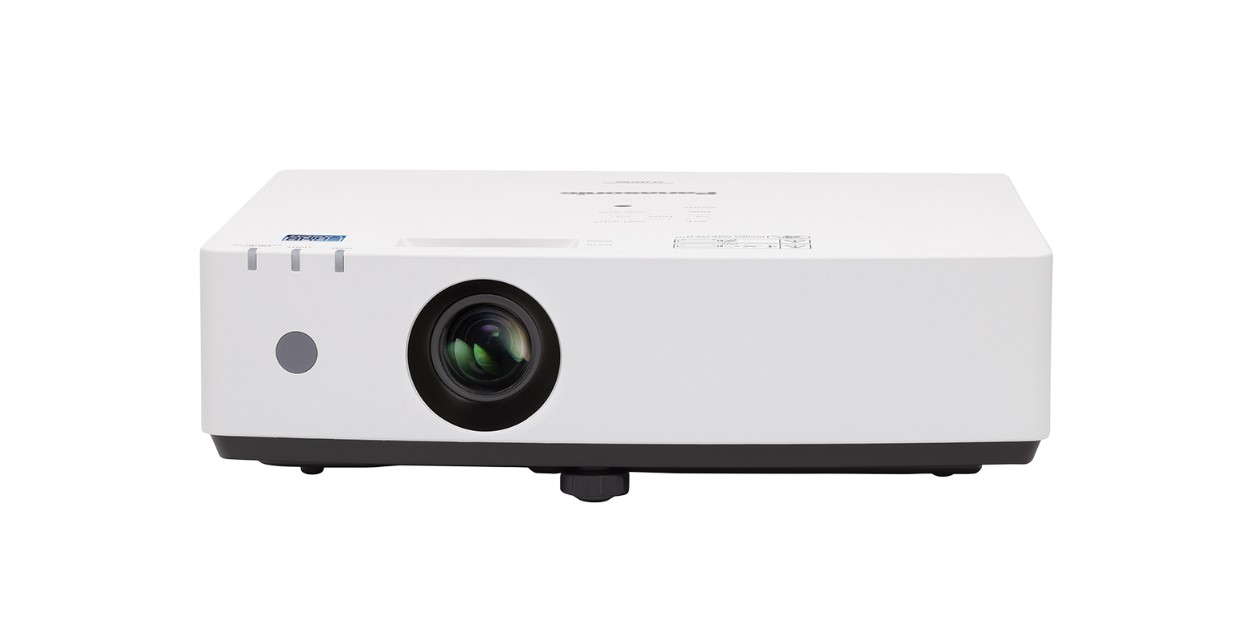
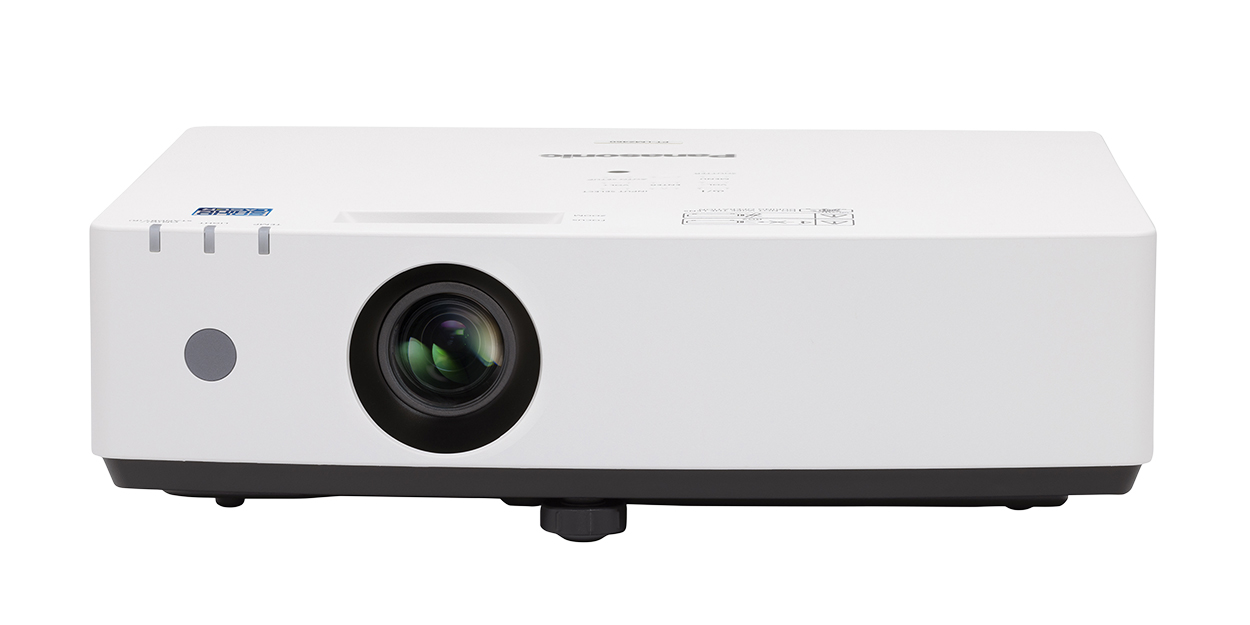
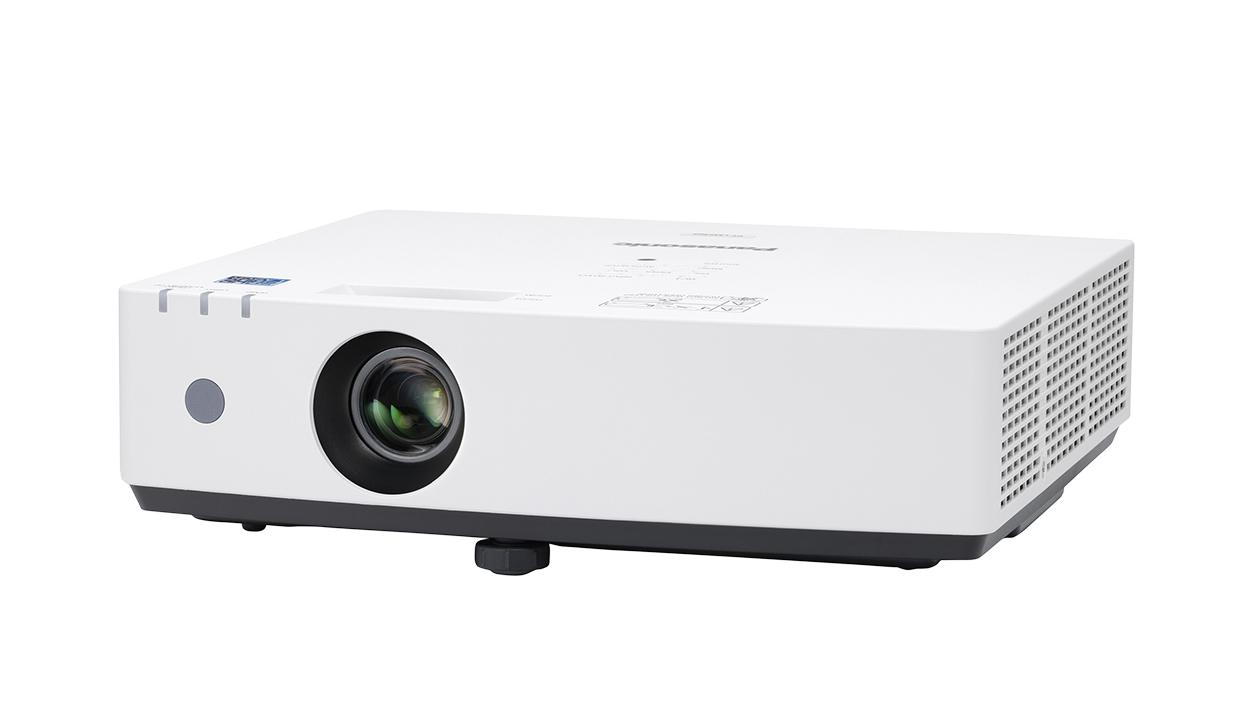
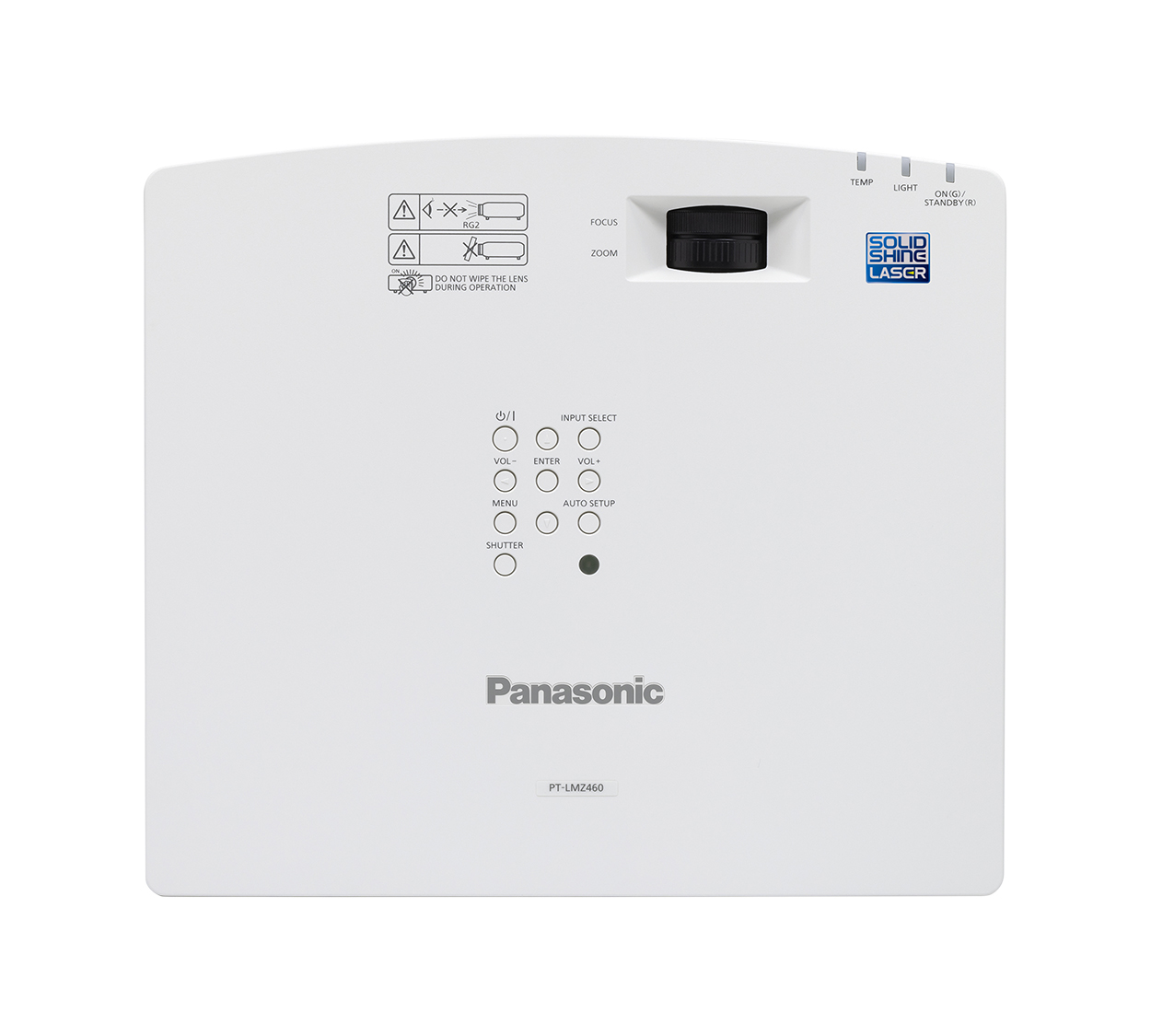
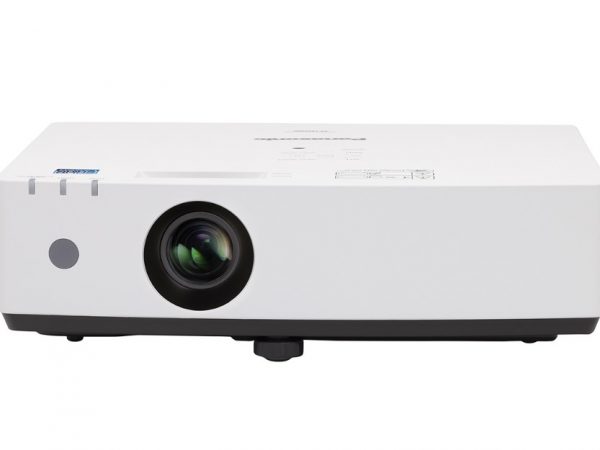
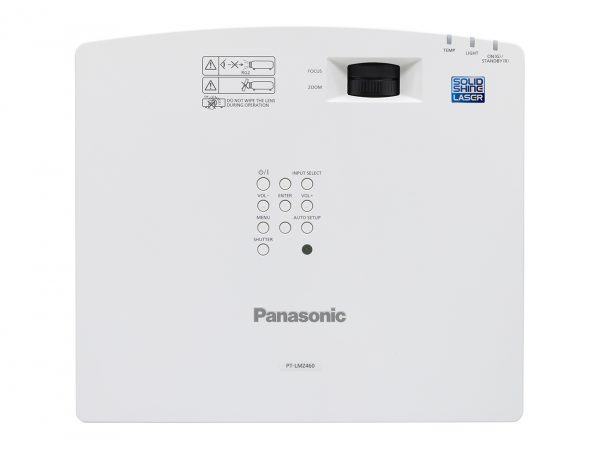
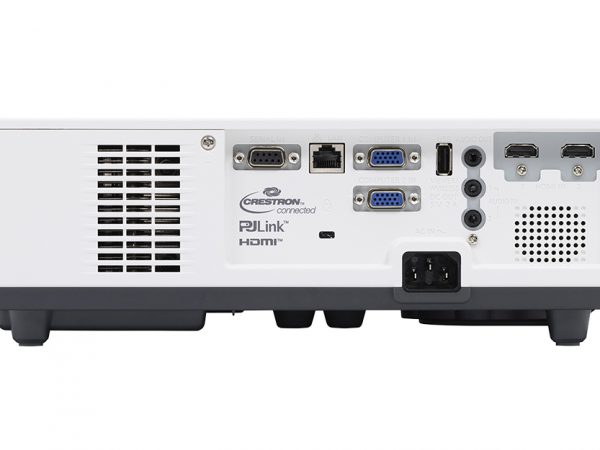
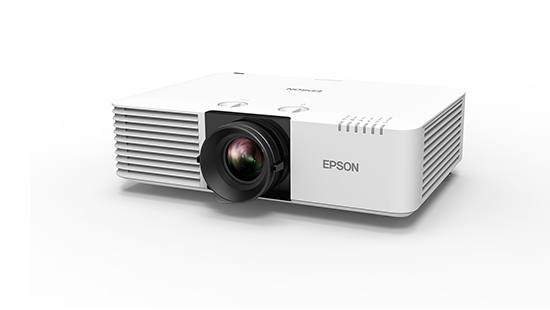
Panasonic PT-LMZ460 WUXGA 3LCD Laser Projector (4,600 lumens)
89,000.00 ฿ 61,900.00 ฿
โปรเจคเตอร์เลเซอร์ WUXGA 4,600 lumens สำหรับห้องประชุม ห้องเรียน และงานติดตั้งระดับมืออาชีพขนาดกลาง
Panasonic PT-LMZ460 คือโปรเจคเตอร์เลเซอร์ 3LCD ความสว่าง 4,600 lumens ความละเอียด WUXGA 1920 × 1200 ออกแบบมาสำหรับห้องประชุม ห้องเรียน ห้องอบรม ออฟฟิศ หน่วยงานราชการ และงานติดตั้งระดับมืออาชีพที่ต้องการภาพคมชัด ใช้งานง่าย และลดภาระการดูแลรักษาในระยะยาว
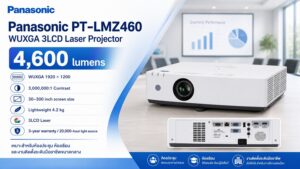
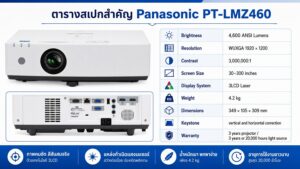
- ความสว่าง : 4,600 ANSI Lumens
- ความละเอียด : 1920 x 1200 (WUXGA)
- ค่า Contrast : 3,000,000:1
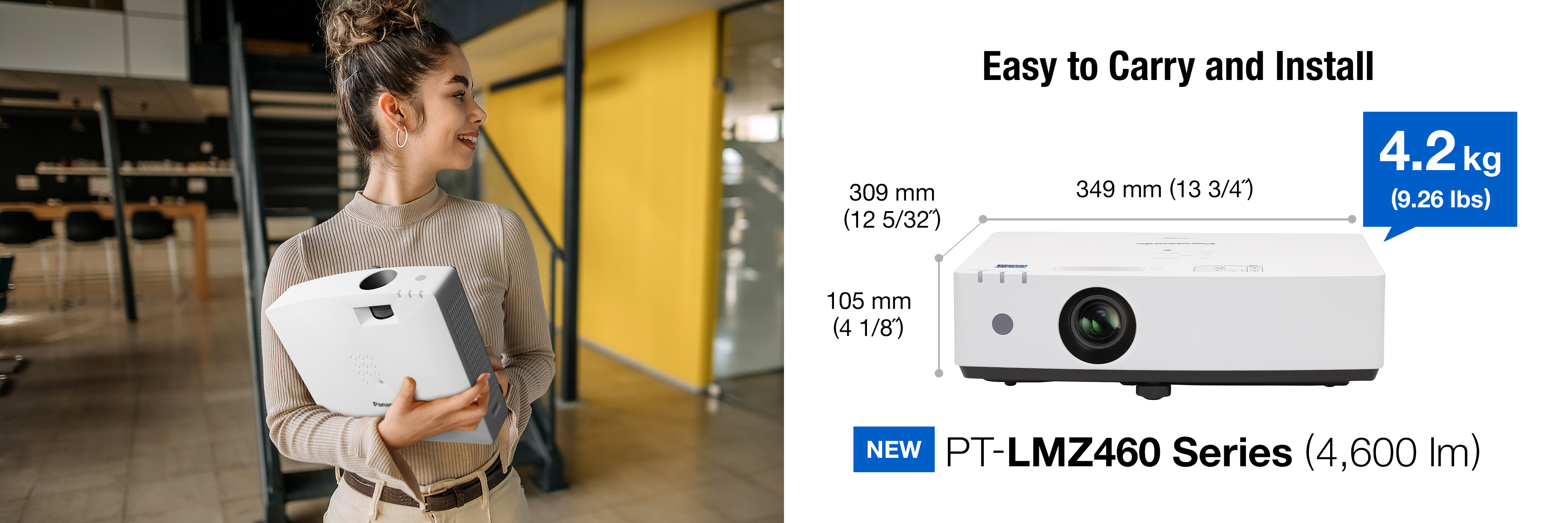
- ขนาดเครื่อง : 349 x 105 x 309 mm
- ขนาดภาพ : 30-300 นิ้ว
- ปรับแก้ไขคางหมูได้ทั้งแนวตั้งและแนวนอน
- น้ำหนักเบาที่สุดเพียง 4.2Kg
- การรับประกันตัวเครื่อง 3 ปี หลอดภาพ 3 ปี หรือ 20,000 ชม.



PT-LMZ460 เลเซอร์โปรเจคเตอร์ 4,600 ลูเมน ภาพสว่าง คมชัด
จุดเด่นหลักของ Panasonic PT-LMZ460
1. ความสว่าง 4,600 lumens ใช้งานได้ดีในห้องที่เปิดไฟ
Panasonic PT-LMZ460 ให้ความสว่าง 4,600 ANSI Lumens เหมาะกับห้องประชุมและห้องเรียนที่ไม่ได้ปิดไฟสนิท เช่น ห้องที่มีไฟเพดาน หน้าต่าง หรือแสงรบกวนบางส่วน
สำหรับการใช้งานจริงในองค์กร ลูกค้าส่วนใหญ่ต้องเปิดไฟเพื่อประชุม จดบันทึก หรือเรียนการสอน รุ่นนี้จึงเหมาะกับการนำเสนอ PowerPoint, Excel, PDF, Dashboard, Video Conference และสื่อการเรียนการสอนที่ต้องการภาพชัด อ่านง่าย และสีไม่ซีดจนเกินไป
2. ความละเอียด WUXGA 1920 × 1200 คมชัดกว่ารุ่น XGA/WXGA เดิม
ความละเอียด WUXGA 1920 × 1200 ให้ภาพคมชัด เหมาะกับงานเอกสาร ตาราง กราฟ Presentation และการใช้งานร่วมกับ Notebook
เมื่อเทียบกับโปรเจคเตอร์ XGA หรือ WXGA รุ่นเก่า ความละเอียด WUXGA ช่วยให้ตัวอักษรเล็ก ๆ อ่านง่ายขึ้น ภาพกราฟิกดูละเอียดขึ้น และเหมาะกับการใช้งานในองค์กรที่ต้องแสดงข้อมูลจำนวนมากบนจอขนาดใหญ่
3. เทคโนโลยี 3LCD Laser ให้สีสว่าง สมดุล และดูเป็นธรรมชาติ
PT-LMZ460 ใช้ระบบ 3LCD Laser ให้ภาพสีสว่างและดูเป็นธรรมชาติ เหมาะกับงานประชุม งานสอน งานอบรม และการแสดงภาพที่ต้องการสีชัดเจน เช่น ภาพสินค้า กราฟ สีแบรนด์ วิดีโอ และภาพประกอบ Presentation
ข้อดีของ 3LCD คือภาพสีไม่หม่นง่าย เหมาะกับห้องที่เปิดไฟ และช่วยให้ผู้ชมมองภาพได้สบายตามากขึ้นเมื่อใช้งานต่อเนื่อง
4. Laser Light Source ใช้งานต่อเนื่อง ลดภาระเปลี่ยนหลอด
Panasonic PT-LMZ460 ใช้แหล่งกำเนิดแสงแบบ Laser ซึ่งช่วยลดภาระการเปลี่ยนหลอดภาพเมื่อเทียบกับโปรเจคเตอร์ Lamp รุ่นเก่า
สำหรับองค์กร โรงเรียน หรือหน่วยงานที่ต้องใช้งานเป็นประจำ ระบบ Laser ช่วยลด Downtime ลดค่าใช้จ่ายการบำรุงรักษา และทำให้การใช้งานในระยะยาวสะดวกขึ้น
5. น้ำหนักเบาเพียง 4.2 kg ติดตั้งง่าย เคลื่อนย้ายสะดวก
หนึ่งในจุดเด่นของ Panasonic PT-LMZ460 คือเครื่องมีน้ำหนักเพียง 4.2 kg ทำให้เหมาะกับทั้งงานติดตั้งถาวรและงานที่ต้องการความยืดหยุ่น เช่น วางบนโต๊ะ เคลื่อนย้ายระหว่างห้องประชุม หรือแขวนเพดานในห้องขนาดกลาง
น้ำหนักที่เบาช่วยให้การติดตั้งง่ายขึ้น ลดภาระโครงสร้าง และเหมาะกับออฟฟิศ โรงเรียน หรือห้องประชุมที่ต้องการเครื่องกะทัดรัดแต่ยังให้ความละเอียดและความสว่างที่ดี
6. รองรับการปรับคางหมูแนวตั้งและแนวนอน
PT-LMZ460 รองรับการปรับแก้ไขภาพคางหมูทั้งแนวตั้งและแนวนอน ช่วยให้การติดตั้งหรือการวางเครื่องมีความยืดหยุ่นมากขึ้น โดยเฉพาะกรณีที่เครื่องไม่ได้อยู่ตรงกลางจอแบบสมบูรณ์
ฟังก์ชันนี้มีประโยชน์กับห้องประชุม ห้องเรียน หรือพื้นที่ที่มีข้อจำกัดด้านตำแหน่งวางเครื่อง
Panasonic PT-LMZ460 เหมาะกับใคร?
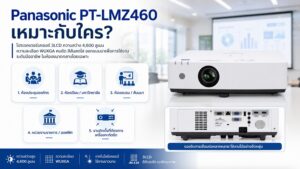
ห้องประชุมองค์กร
เหมาะสำหรับห้องประชุมขนาดเล็กถึงกลางที่ต้องการภาพคมชัด สว่าง และอ่านตัวอักษรได้ดี เช่น ห้องประชุมผู้บริหาร ห้องประชุมทีมขาย ห้องประชุมฝ่ายบัญชี ห้องประชุมฝ่ายอบรม หรือห้องประชุมทั่วไป
ห้องเรียนและมหาวิทยาลัย
เหมาะกับห้องเรียน ห้องบรรยาย และห้องอบรมที่ต้องเปิดไฟระหว่างการเรียนการสอน รุ่นนี้ช่วยให้ผู้เรียนมองเห็นเนื้อหาได้ชัด โดยเฉพาะข้อความ ตาราง และภาพประกอบการสอน
ห้องอบรมและสัมมนาขนาดกลาง
เหมาะกับห้องอบรมภายในองค์กร ห้อง Training Room หรือห้องสัมมนาขนาดกลางที่ต้องใช้ Presentation ต่อเนื่องหลายชั่วโมง และต้องการภาพที่คมชัดโดยไม่ต้องปิดไฟทั้งห้อง
หน่วยงานราชการและออฟฟิศ
เหมาะกับหน่วยงานที่ต้องการโปรเจคเตอร์ Laser ที่ใช้งานง่าย ประหยัดค่าดูแลในระยะยาว และเหมาะกับการประชุมประจำวัน
งานติดตั้งที่ต้องการเครื่องกะทัดรัด
เหมาะกับงานติดตั้งที่ต้องการเครื่องน้ำหนักเบา ขนาดไม่ใหญ่เกินไป แต่ยังต้องการความละเอียด WUXGA และแหล่งกำเนิดแสง Laser สำหรับใช้งานระยะยาว
ตารางสเปกสำคัญ Panasonic PT-LMZ460
| รายการ | รายละเอียด |
|---|---|
| รุ่น | Panasonic PT-LMZ460 |
| ประเภท | WUXGA 3LCD Laser Projector |
| ความสว่าง | 4,600 ANSI Lumens |
| ความละเอียด | WUXGA 1920 × 1200 |
| ระบบภาพ | 3LCD / LCD Laser |
| Contrast | 3,000,000:1 |
| ขนาดภาพ | 30–300 นิ้ว |
| น้ำหนัก | 4.2 kg |
| ขนาดเครื่อง | 349 × 105 × 309 mm |
| การปรับภาพ | ปรับคางหมูแนวตั้งและแนวนอน |
| เหมาะสำหรับ | ห้องประชุม ห้องเรียน ห้องอบรม งานติดตั้งขนาดกลาง |
| การรับประกัน | ตัวเครื่อง 3 ปี / แหล่งกำเนิดแสง 3 ปีหรือ 20,000 ชั่วโมง |
ทำไมควรซื้อ Panasonic PT-LMZ460 กับ Projector World
การเลือกโปรเจคเตอร์สำหรับห้องประชุมหรือห้องเรียน ไม่ควรดูแค่ความสว่างหรือราคาเท่านั้น เพราะหน้างานจริงมีปัจจัยหลายอย่าง เช่น ขนาดห้อง ระยะฉาย ขนาดจอ ระดับแสง ตำแหน่งติดตั้ง และประเภทสัญญาณที่ต้องเชื่อมต่อ
Projector World Co., Ltd. ให้บริการด้านโปรเจคเตอร์ จอรับภาพ ระบบห้องประชุม และงานติดตั้งครบวงจร ช่วยให้ลูกค้าเลือกอุปกรณ์ได้เหมาะกับการใช้งานจริง
- ช่วยเลือกรุ่นโปรเจคเตอร์ให้เหมาะกับขนาดห้อง
- คำนวณระยะฉายและขนาดจอ
- แนะนำจอรับภาพที่เหมาะกับความสว่างของเครื่อง
- วางตำแหน่งติดตั้งให้เหมาะกับหน้างานจริง
- แนะนำการเชื่อมต่อกับ Notebook, PC, Video Conference หรือระบบห้องประชุม
- บริการติดตั้งโดยทีมงานมืออาชีพ
- ดูแลหลังการขายและให้คำแนะนำการใช้งาน
การซื้อโปรเจคเตอร์กับผู้เชี่ยวชาญช่วยลดความเสี่ยงจากการซื้อผิดรุ่น ภาพไม่ชัด สว่างไม่พอ หรือระยะฉายไม่พอดีกับจอ
ควรเลือก Panasonic PT-LMZ460 เมื่อไหร่?
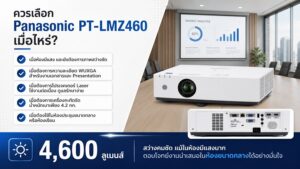
ควรเลือก Panasonic PT-LMZ460 ถ้าคุณมีเงื่อนไขเหล่านี้:
- ต้องการโปรเจคเตอร์ Laser สำหรับห้องประชุมหรือห้องเรียน
- ต้องการความสว่างระดับ 4,600 lumens
- ต้องการความละเอียด WUXGA สำหรับงานเอกสาร ตาราง และ Presentation
- ห้องมีแสง และยังต้องการภาพสว่างชัด
- ต้องการเครื่องกะทัดรัด น้ำหนักเบาเพียง 4.2 kg
- ต้องการลดภาระการเปลี่ยนหลอดภาพในระยะยาว
- ต้องการติดตั้งในห้องประชุมขนาดกลาง ห้องเรียน หรือห้องอบรม
- ต้องการแบรนด์ที่น่าเชื่อถือและมีบริการหลังการขาย
PT-LMZ460 ต่างจากรุ่นความสว่างสูงกว่าอย่าง PT-VMZ82 หรือ PT-MZ882 อย่างไร?
Panasonic PT-LMZ460 เหมาะกับห้องขนาดเล็กถึงกลางที่ต้องการความคมชัดและความคุ้มค่า ส่วนรุ่นอย่าง PT-VMZ82 หรือ PT-MZ882 เหมาะกับห้องที่ใหญ่กว่า จอใหญ่กว่า และต้องการความสว่างระดับ 8,000 lumens ขึ้นไป
| รุ่น | ความสว่าง | จุดเด่น | เหมาะกับ |
| Panasonic PT-LMZ460 | 4,600 lumens | กะทัดรัด น้ำหนักเบา WUXGA Laser | ห้องประชุม ห้องเรียน ห้องอบรมขนาดกลาง |
| Panasonic PT-VMZ62 | 6,500 lumens | สว่างมากขึ้น เหมาะกับจอใหญ่ | ห้องประชุมใหญ่ หอประชุม ห้องสัมมนา |
| Panasonic PT-MZ882 | 8,200 lumens | รองรับ Optional Lenses | งานติดตั้งขนาดใหญ่ที่ต้องการความยืดหยุ่นด้านเลนส์ |
ถ้าห้องของคุณเป็นห้องประชุมทั่วไปหรือห้องเรียนขนาดกลาง PT-LMZ460 อาจเป็นตัวเลือกที่เหมาะสมและคุ้มค่า
แต่ถ้าเป็นหอประชุม ห้องสัมมนาขนาดใหญ่ หรือจอขนาดใหญ่มาก ควรพิจารณารุ่นความสว่างสูงกว่า
ก่อนซื้อ Panasonic PT-LMZ460 ควรเตรียมข้อมูลอะไรบ้าง?
เพื่อให้เลือกโปรเจคเตอร์และจอรับภาพได้เหมาะสม ควรเตรียมข้อมูลเหล่านี้ก่อนสั่งซื้อหรือติดตั้ง:
- ขนาดห้อง กว้าง × ยาว × สูง
- ขนาดจอที่ต้องการ เช่น 100 นิ้ว, 120 นิ้ว, 150 นิ้ว หรือ 200 นิ้ว
- ระยะจากตำแหน่งติดตั้งเครื่องถึงจอ
- ต้องการวางบนโต๊ะหรือติดเพดาน
- ห้องเปิดไฟหรือปิดไฟระหว่างใช้งาน
- มีแสงจากหน้าต่างมากน้อยแค่ไหน
- ใช้งานหลักเป็น Presentation, Video Conference, สื่อการสอน หรือวิดีโอ
- ต้องการเชื่อมต่อกับ Notebook, PC, HDMI, LAN หรือระบบ AV อื่นหรือไม่
- มีจอรับภาพเดิมอยู่แล้วหรือไม่
- ต้องการบริการติดตั้งพร้อมเดินสายหรือไม่
ข้อมูลเหล่านี้ช่วยให้ทีมงานประเมินได้ว่ารุ่น PT-LMZ460 เหมาะสมหรือควรเลือกรุ่นอื่นที่ตรงกับหน้างานมากกว่า
คำถามที่พบบ่อยเกี่ยวกับ Panasonic PT-LMZ460
Panasonic PT-LMZ460 เหมาะกับห้องประชุมขนาดไหน?
เหมาะกับห้องประชุมขนาดเล็กถึงกลาง ห้องเรียน ห้องอบรม และห้องสัมมนาขนาดกลาง โดยเฉพาะห้องที่เปิดไฟใช้งานและต้องการภาพคมชัดระดับ WUXGA
Panasonic PT-LMZ460 ใช้กับจอขนาดเท่าไหร่ได้บ้าง?
รุ่นนี้รองรับขนาดภาพ 30–300 นิ้ว แต่การใช้งานจริงควรคำนวณร่วมกับระยะฉาย ระดับแสง และชนิดจอรับภาพ เพื่อให้ได้ภาพที่สว่างและคมชัดเหมาะสม
PT-LMZ460 เป็นโปรเจคเตอร์ Laser หรือ Lamp?
Panasonic PT-LMZ460 เป็นโปรเจคเตอร์ Laser ใช้แหล่งกำเนิดแสงแบบ Laser Diodes ช่วยลดภาระการเปลี่ยนหลอดภาพเมื่อเทียบกับโปรเจคเตอร์แบบ Lamp
ความละเอียด WUXGA เหมาะกับงานอะไร?
WUXGA 1920 × 1200 เหมาะกับงาน Presentation, Excel, PDF, Dashboard, งานเอกสาร และการใช้งานกับ Notebook ในองค์กร เพราะให้พื้นที่แสดงผลมากและตัวอักษรคมชัด
น้ำหนัก 4.2 kg มีประโยชน์อย่างไร?
น้ำหนัก 4.2 kg ทำให้เครื่องติดตั้งง่าย เคลื่อนย้ายสะดวก และเหมาะกับห้องที่ต้องการโปรเจคเตอร์ขนาดกะทัดรัด แต่ยังให้ความคมชัดและความสว่างเพียงพอสำหรับงานประชุม
ซื้อ Panasonic PT-LMZ460 กับ Projector World ดีอย่างไร?
Projector World ช่วยประเมินรุ่น ขนาดจอ ระยะฉาย รูปแบบติดตั้ง ระบบเชื่อมต่อ และบริการหลังการขาย ทำให้ลูกค้าองค์กรลดความเสี่ยงจากการซื้อผิดรุ่นหรือติดตั้งไม่เหมาะกับหน้างาน
อัปเกรดห้องประชุมของคุณ ด้วยโปรเจคเตอร์เลเซอร์ที่คุ้มค่าที่สุด
Panasonic PT-LMZ460 WUXGA 3LCD Laser Projector (4,600 lumens) เป็นโปรเจคเตอร์เลเซอร์ที่เหมาะกับห้องประชุม ห้องเรียน ห้องอบรม และงานติดตั้งระดับมืออาชีพขนาดกลาง จุดเด่นคือภาพคมชัดระดับ WUXGA ระบบ 3LCD Laser ความสว่าง 4,600 lumens น้ำหนักเบา 4.2 kg และช่วยลดภาระการดูแลรักษาในระยะยาว ถ้าคุณกำลังมองหาโปรเจคเตอร์สำหรับห้องประชุมหรือห้องเรียนที่ต้องการภาพชัด สว่าง ใช้งานง่าย และไม่ต้องการเครื่องขนาดใหญ่เกินไป Panasonic PT-LMZ460 เป็นรุ่นที่ควรพิจารณาอย่างจริงจัง
- สั่งซื้อ Panasonic PT-LMZ460 ของแท้ ศูนย์ไทย รับประกันเครื่อง 3 ปี
- บริการติดตั้งครบวงจรทั่วประเทศ โดยทีมงานมืออาชีพ ProjectorWorld
- โทรเลย: 083-666-6546 หรือ [แอดไลน์เพื่อขอใบเสนอราคา] @Line ขอใบเสนอราคา
Panasonic PT-LMZ460 WUXGA 3LCD Laser Projector (4,600 lumens)
Effortless Projection Anywhere, Anytime
Take It Anywhere
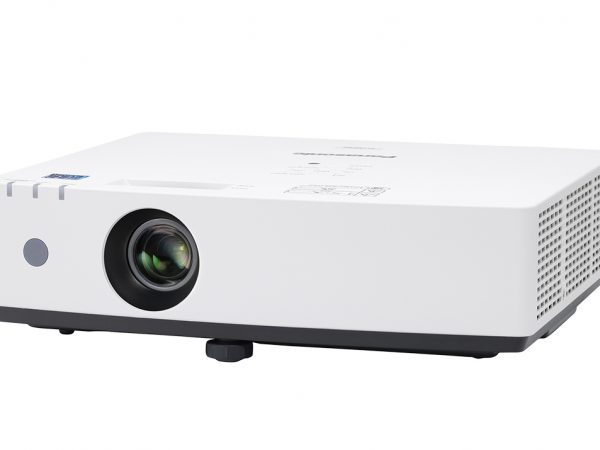
LMZ460 Series has width and depth not much larger than a laptop computer and weighs just 4.2 kg (9.26 lbs). It’s light enough to carry wherever you need to go, and is easy to install on the ceiling. Setup is simple: just set on a desktop, connect your source, switch on, and start presenting.
ฉายภาพได้ทุกที่ ทุกเวลา อย่างง่ายดาย
พกพาสะดวก
ซีรีส์ LMZ460 มีขนาดกว้างและลึกไม่มากไปกว่าคอมพิวเตอร์แล็ปท็อป และน้ำหนักเพียง 4.2 กก. พอที่จะพกพาไปได้ทุกที่ และติดตั้งบนเพดานได้ง่าย การตั้งค่าก็ง่ายมาก: แค่วางบนโต๊ะ เชื่อมต่ออุปกรณ์ต้นทาง เปิดเครื่อง แล้วเริ่มใช้งานได้ทันที
Start Work Instantly
Start the class or meeting instantly without delays that lose your group’s attention. Unlike lamp-based projectors, which take time to start up, LMZ460 Series projects your content about one second1 after powering on from standby thanks to its SOLID SHINE Laser light source. It also features a Direct Off function, so you can turn the projector off any time via the room breaker.
1 When [ECO MANAGEMENT] > [QUICK STARTUP] is set to [ON]. [QUICK STARTUP] is unavailable after the [AVAILABLE PERIOD] setting has expired. When [QUICK STARTUP] is set to [ON], the projector continues to warm up, increasing power consumption. When [QUICK STARTUP] is set to [ON], the standby period when the [QUICK STARTUP] function is valid will be added as the projector runtime. [QUICK STARTUP] cannot be set when [STANDBY MODE] is set to [ECO]. May vary depending on connection terminals, signals, and other conditions.
Quiet Operation Keeps People Focused
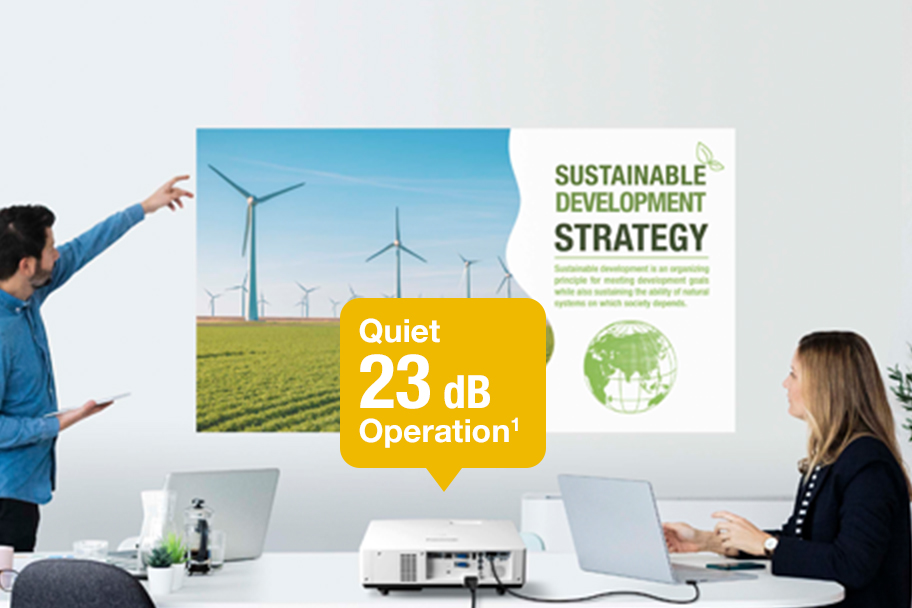
Quiet Mode reduces operating noise to as little as 23 dB1—the same apparent loudness as rustling leaves. LMZ460 Series fits unobtrusively into the installation environment and minimizes distractions even when the group is seated close by the projector. Quiet projection helps keep attention focused on the presentation, whether your class or colleagues are in the room or participating remotely.
เริ่มงานได้ทันที
เริ่มเรียนหรือประชุมได้ทันที โดยไม่ต้องเสียเวลารอจนผู้ร่วมกลุ่มหมดความสนใจ ไม่เหมือนโปรเจคเตอร์แบบหลอดไฟที่ใช้เวลารอสตาร์ท ซีรีส์ LMZ460 สามารถฉายภาพได้ภายในประมาณ 1 วินาที หลังเปิดจากโหมดสแตนด์บาย (ต้องเปิด [QUICK STARTUP]) และยังมีฟังก์ชัน Direct Off ให้ปิดเครื่องได้ทันทีจากเบรกเกอร์ห้อง
หมายเหตุ: เมื่อเปิด [QUICK STARTUP] จะใช้พลังงานเพิ่มขึ้น และเวลาสแตนด์บายจะถูกรวมเป็นเวลาใช้งานโปรเจคเตอร์
การทำงานเงียบ ช่วยให้มีสมาธิ
โหมดเงียบ (Quiet Mode) ลดเสียงรบกวนเหลือเพียง 23 dB เทียบเท่ากับเสียงใบไม้ไหว เหมาะมากสำหรับการใช้งานในห้องเรียนหรือห้องประชุมที่ต้องการสมาธิ
Digital Zoom Extender Adds Digital Image Shift Function
ฟังก์ชัน Digital Zoom Extender และ Digital Image Shift
- Digital Image Shift ช่วยเลื่อนภาพขึ้นลงซ้ายขวาได้ 10% โดยใช้รีโมท หากติดตั้งเครื่องไม่ตรงกลางจอ (เช่น มีโคมไฟหรือแอร์ขวาง)
- Digital Zoom Extender ช่วยให้คุณใช้ขายึดเดิมได้ แม้ระยะห่างไม่เหมาะสม ช่วยประหยัดค่าใช้จ่ายในการติดตั้ง
- ใช้ขายึดเดียวกับ รุ่น PT-LB426 ได้ทันที
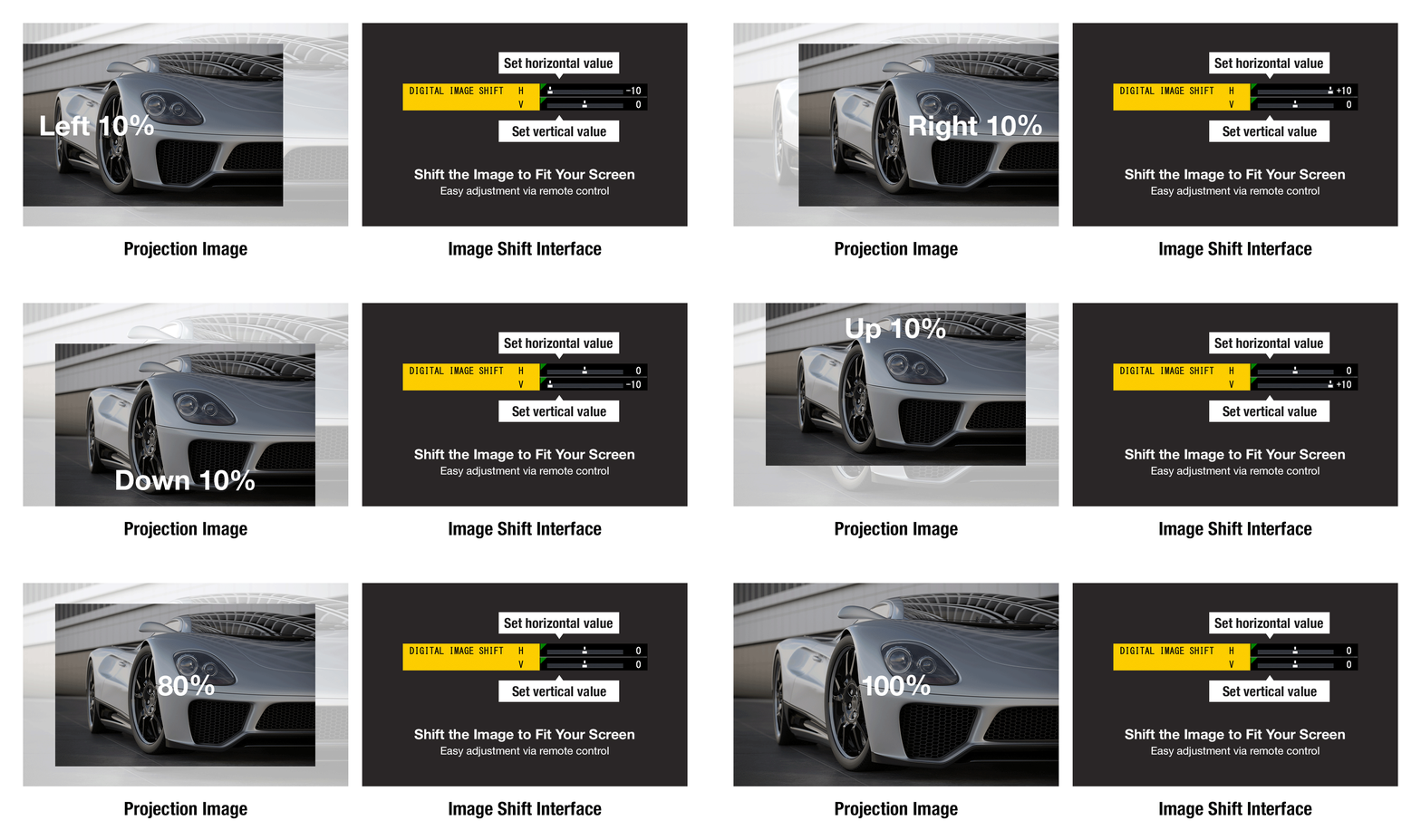
Digital Zoom Extender evolves with a new Digital Image Shift function. Digital Image Shift provides a convenient workaround when it’s not possible to install the projector at the center of the screen due to light fittings or air-conditioning vents on the ceiling, or in cases where the ceiling is too high. You can use the remote control to digitally shift the image 10% up or down and 10% left or right so it fits on your screen.
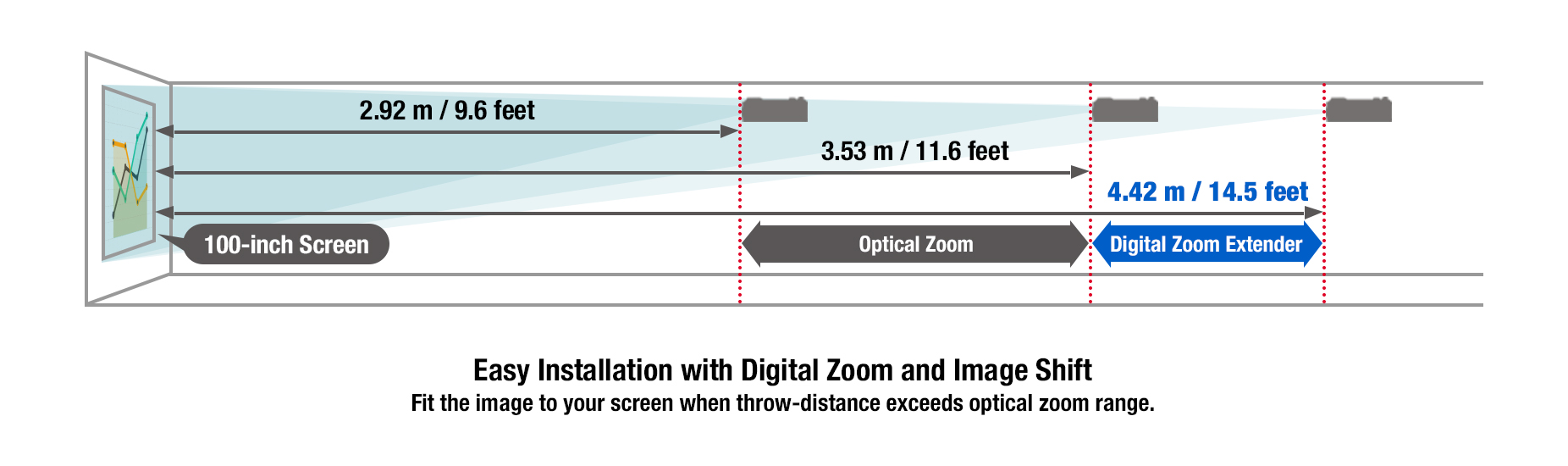
Digital Zoom Extender function allows you to keep the same mount position as your old projector even if it’s too far from the screen, saving construction work. It extends throw-distance past the range of optical zoom so the image is projected at the desired size on your screen. Furthermore, LMZ460 Series uses the same mount and attachment bracket as the conventional lamp-based PT-LB426 Series, so if you’re updating, you can bolt the new projector straight in.
Screen Adjustment with Automatic Vertical Keystone Correction
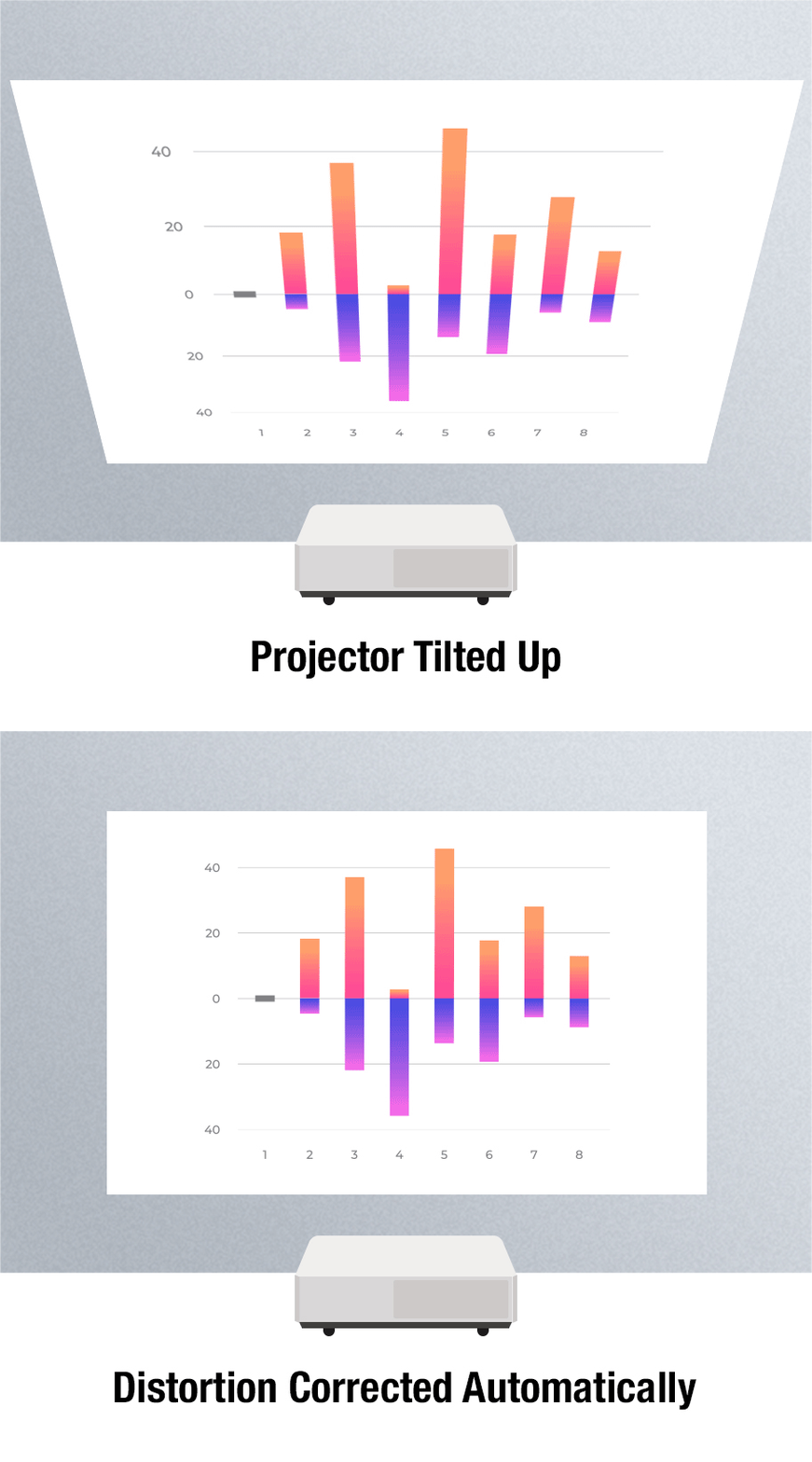
PT-LMZ460 Series features a convenient screen adjustment system operable by remote control. It includes Automatic Vertical Keystone Correction that fixes trapezoidal distortion when the projector is tilted up or down; 4-Corner and Horizontal/Vertical Keystone Correction to correct the image when projecting at an angle; 6-Point Correction that removes distortion when projecting an image into the corner of a room; and Curved Screen Correction to remove barrel or pincushion distortion when projecting onto curved surfaces.
การปรับภาพแบบอัตโนมัติ
- ปรับภาพอัตโนมัติด้วยรีโมท
- Vertical Keystone Correction แก้ภาพเบี้ยวเมื่อเครื่องเอียง
- 4-Corner, H/V Keystone, 6-Point Correction, Curved Screen Correction สำหรับปรับภาพในสถานการณ์ต่าง ๆ เช่น ฉายเข้ามุมห้อง หรือบนพื้นผิวโค้ง
Note: 6-Point Screen Adjustment available on PT-LMZ460/LMZ420 only.
ประหยัด คุ้มค่า และไว้ใจได้
ออกแบบมาเพื่อใช้งานไร้กังวล
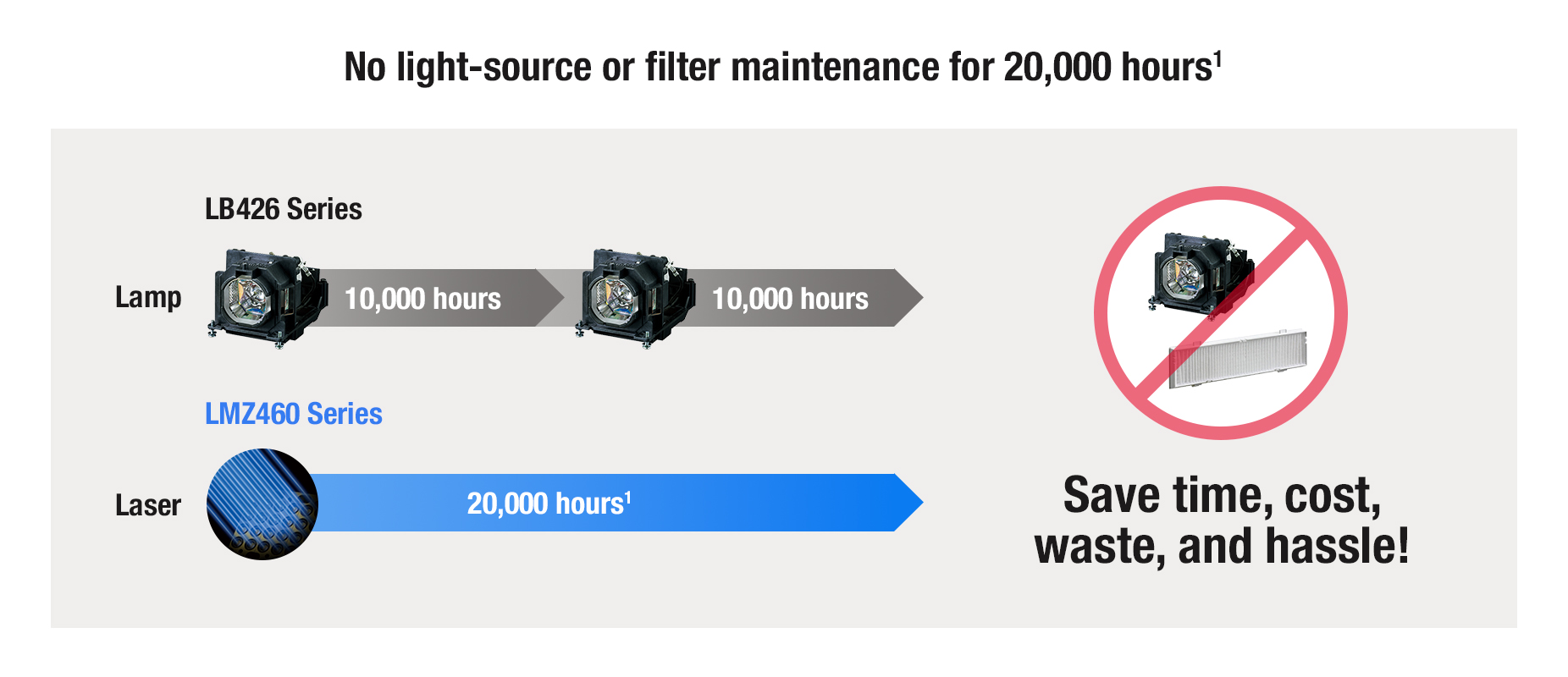
- ไม่ต้องเปลี่ยนแหล่งแสงหรือฟิลเตอร์ถึง 20,000 ชั่วโมง
- ลดค่าใช้จ่าย และไม่ต้องจัดการกับหลอดไฟเก่าหมดอายุ
- ฟิลเตอร์ ECO สามารถล้างและใช้งานซ้ำได้
- ภาพสว่างและสีสม่ำเสมอในระยะยาว
Efficient, Reliable, and Cost-Effective
Designed for Stress-free Life
Excellent picture quality is just one benefit of laser projection. Both the light source and ECO Filter don’t need to be replaced until about 20,000 hours1. Comparable lamp projectors would need between one and four lamp changes plus filter maintenance if operated for the same amount of time. You also don’t need to worry about disposing of expired lamps, and the ECO Filter can be washed and reused, saving waste. It’s easy to see how laser projection reduces cost and maintenance hassle. And thanks to the light-source’s controlled brightness ramp and consistently uniform color reproduction, images stay clear and vivid for much longer.
เป็นมิตรกับสิ่งแวดล้อม
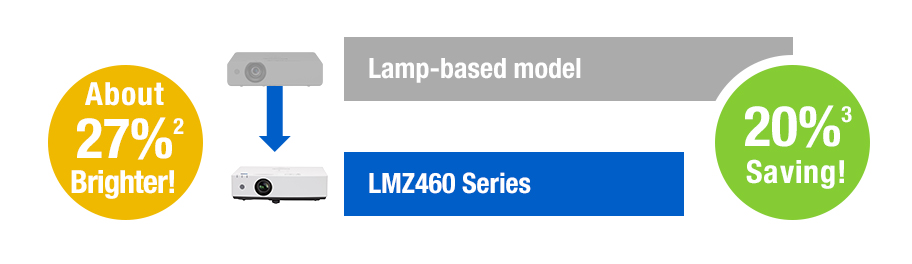
- ใช้พลังงานมีประสิทธิภาพมากขึ้น 1.6 เท่า เทียบกับรุ่นหลอดไฟ
- ความสว่างเพิ่มขึ้นประมาณ 27%
- ลดการใช้พลังงาน 20%
- กินไฟสูงสุดเพียง 240 W (โหมดปกติ)
- เพิ่มประสิทธิภาพได้อีกเมื่อใช้โหมด ECO หรือ QUIET
Eco-friendly Design Saves You and the Environment
Make the change to eco-friendly Panasonic projection and reduce impact on the environment in line with your organization’s SDGs. LMZ460 Series uses light 1.6 times1 more efficiently than conventional lamp-based models, increasing brightness by about 27%2 while reducing energy consumption by 20%3. Maximum power consumption in NORMAL Mode is just 240 W. These energy savings really add up, especially if you’re operating more than one projector. You can improve energy efficiency even further by setting the projector to ECO or QUIET modes.
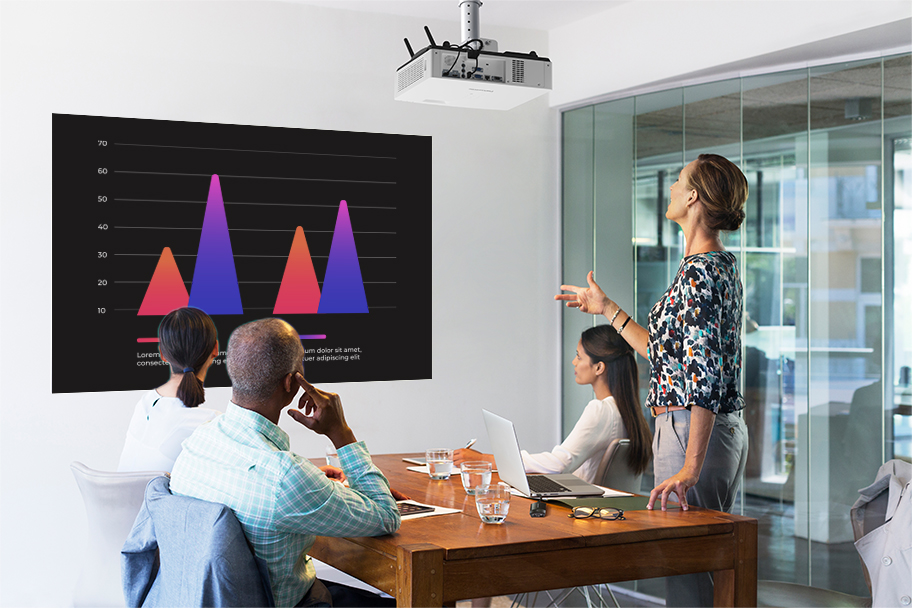
คุณภาพภาพสดใส แม้ในห้องที่มีแสงมาก
- สว่างถึง 4,600 ลูเมน ภาพคมชัด แม้เปิดไฟหรือเปิดม่าน
- ความละเอียด WUXGA (1920 x 1200) แสดงภาพได้ละเอียดสมจริง
SOLID SHINE for Clear Images in Bright Light
Vivid Image Quality in Well-Lit Rooms
Classroom and office projectors need to be powerful enough to cut through bright ambient light, or the picture looks dull and washed out. Despite its compact body and light 4.2 kg (9.26 lbs) weight, LMZ460 Series packs up to 4,600 lm1 of brightness for sharp, well-saturated pictures with the room lights on and blinds open.
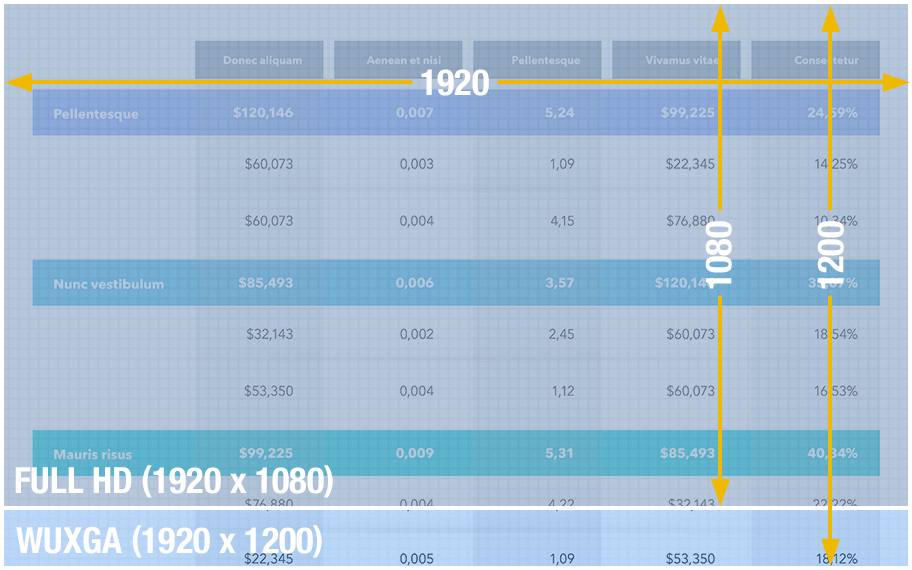
WUXGA1 Panels for an Insightful Visual Experience
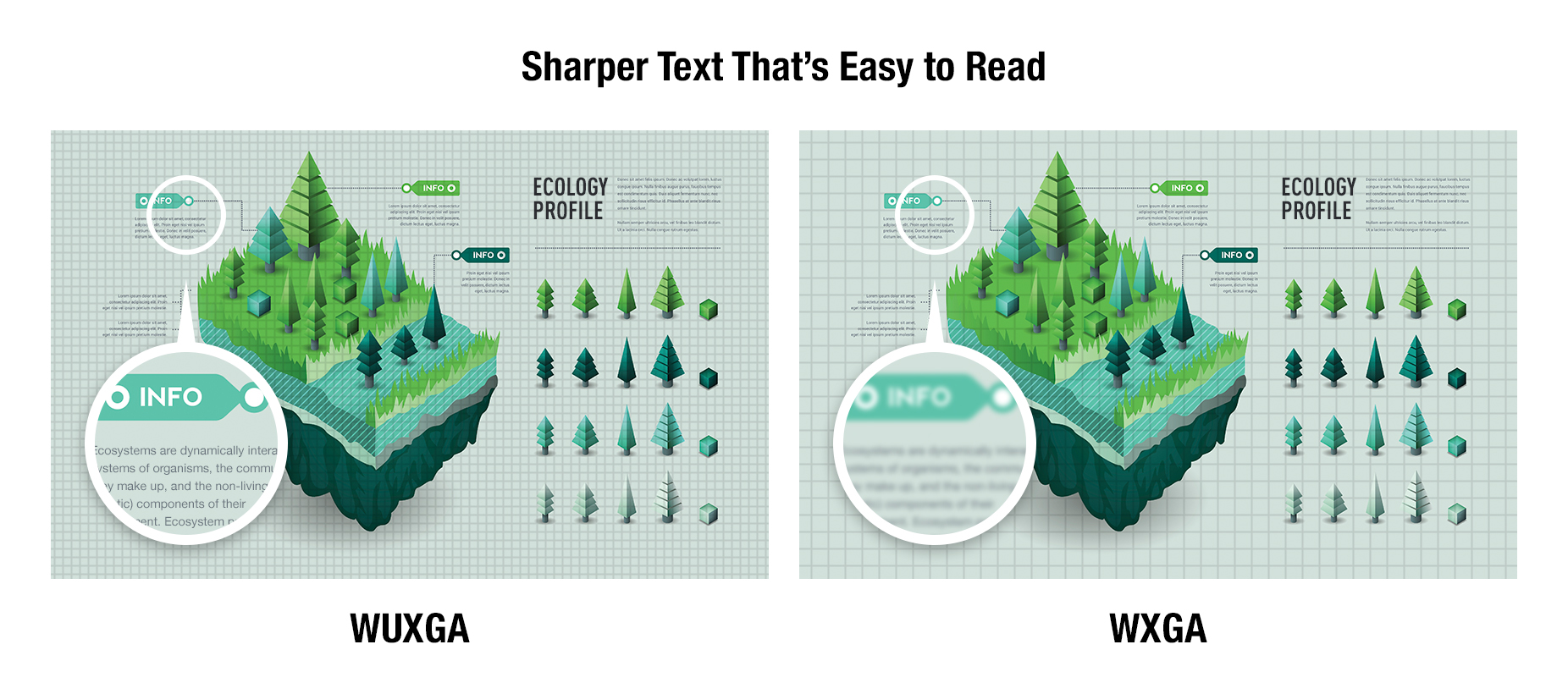
WUXGA1 (1920 x 1200) LCD panels improve text definition and clarify details for a more engaging presentation. With higher panel resolution than Full HD (1920 x 1080) projectors, LMZ460 Series can reproduce images at their original aspect ratio and reduce the need to scroll when projecting webpages and spreadsheets thanks to the extra image height.
Dynamic Contrast เพิ่มความลึกและสมจริง
- วิเคราะห์ภาพแบบเฟรมต่อเฟรม
- ปรับความสว่างให้เหมาะกับแต่ละฉาก
- คอนทราสต์สูงถึง 3,000,000:1
- แสดงรายละเอียดในเงามืดได้ดีขึ้น และอ่านข้อความได้สบายตา
Dynamic Contrast Adds Depth and Realism
Dynamic Contrast analyzes the video signal frame-by-frame and digitally adjusts light output according to the contrast requirements of each scene. It features scene-linking technology for greater realism when dark and light scenes frequently interchange. As well as accurate reproduction of images that contain a mix of dark and bright shades, Dynamic Contrast is more energy-efficient than other technologies. The high 3,000,000:11 contrast ratio delivers impressive detail definition in shadows and improves text legibility for more comfortable viewing.
Images Optimized to Suit Your Space
Daylight View Basic optimizes image quality according to the amount of light in the room. A sensor measures ambient brightness and adjusts image brightness, contrast, and halftone color for clear results in any conditions.
Daylight View Basic
- มีเซ็นเซอร์วัดแสงในห้อง
- ปรับความสว่าง สี และความคมชัดโดยอัตโนมัติให้เหมาะกับสภาพแวดล้อม
![Daylight View Basic [OFF] / [ON]](https://docs.connect.panasonic.com/projector/products/lmz460/img/features/feature011.jpg)
ฟีเจอร์เสริมอื่น ๆ
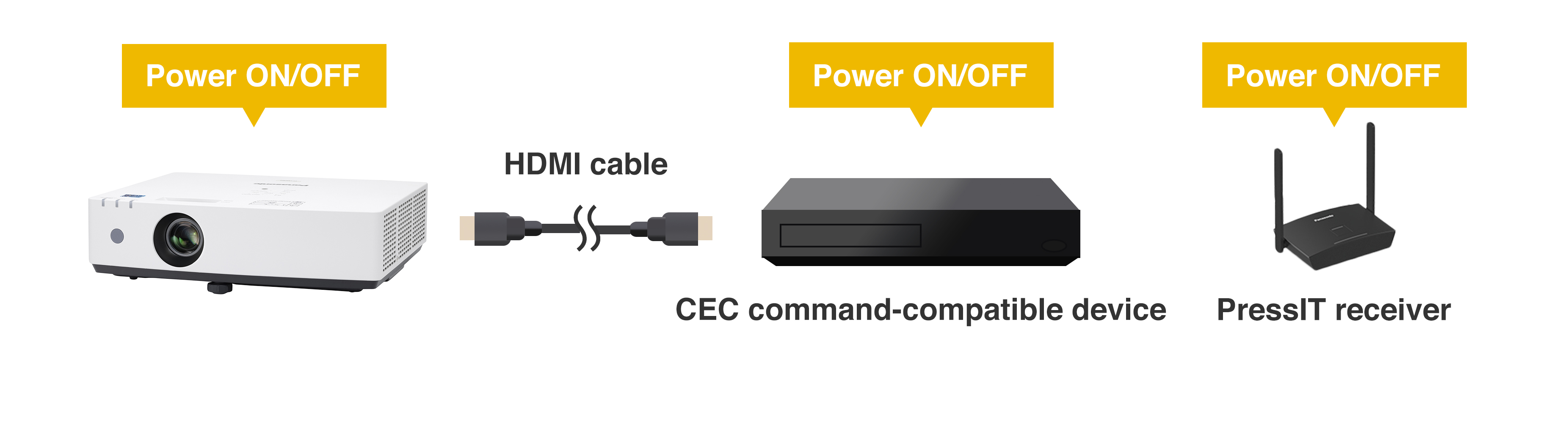
รองรับคำสั่ง CEC ผ่าน HDMI
- HDMI ทั้ง 2 พอร์ตรองรับคำสั่ง CEC
- เปิด/ปิดอัตโนมัติเมื่อเชื่อมต่อกับอุปกรณ์อย่าง Blu-ray, Chromecast, หรือ PressIT
Other Features
CEC Command-Compatible1 HDMI® Makes Life Easy
Both of the projector’s HDMI inputs are compatible with CEC commands1 for your convenience. The projector will automatically switch on, select an input, play your content, and switch off when it detects these commands from a compatible source device such as a Blu-ray™ player, media streaming dongle, or optional Wireless Presentation System PressIT2. Get your content playing smoothly and easily using just one remote control.
Supports 4K Input Signals1 for Easy System Integration
รองรับสัญญาณ 4K
-
รับสัญญาณ 4K ผ่าน HDMI โดยไม่ต้องแปลงสัญญาณหรือลดความละเอียดก่อน
LMZ460 Series accepts 4K input signals1 via HDMI. That’s a big help if you plan to distribute 4K content from a media server to various display endpoints around your school or office that have different screen resolutions. You don’t need to manually reencode your video content or use an external video converter, reducing system and workflow complexity.
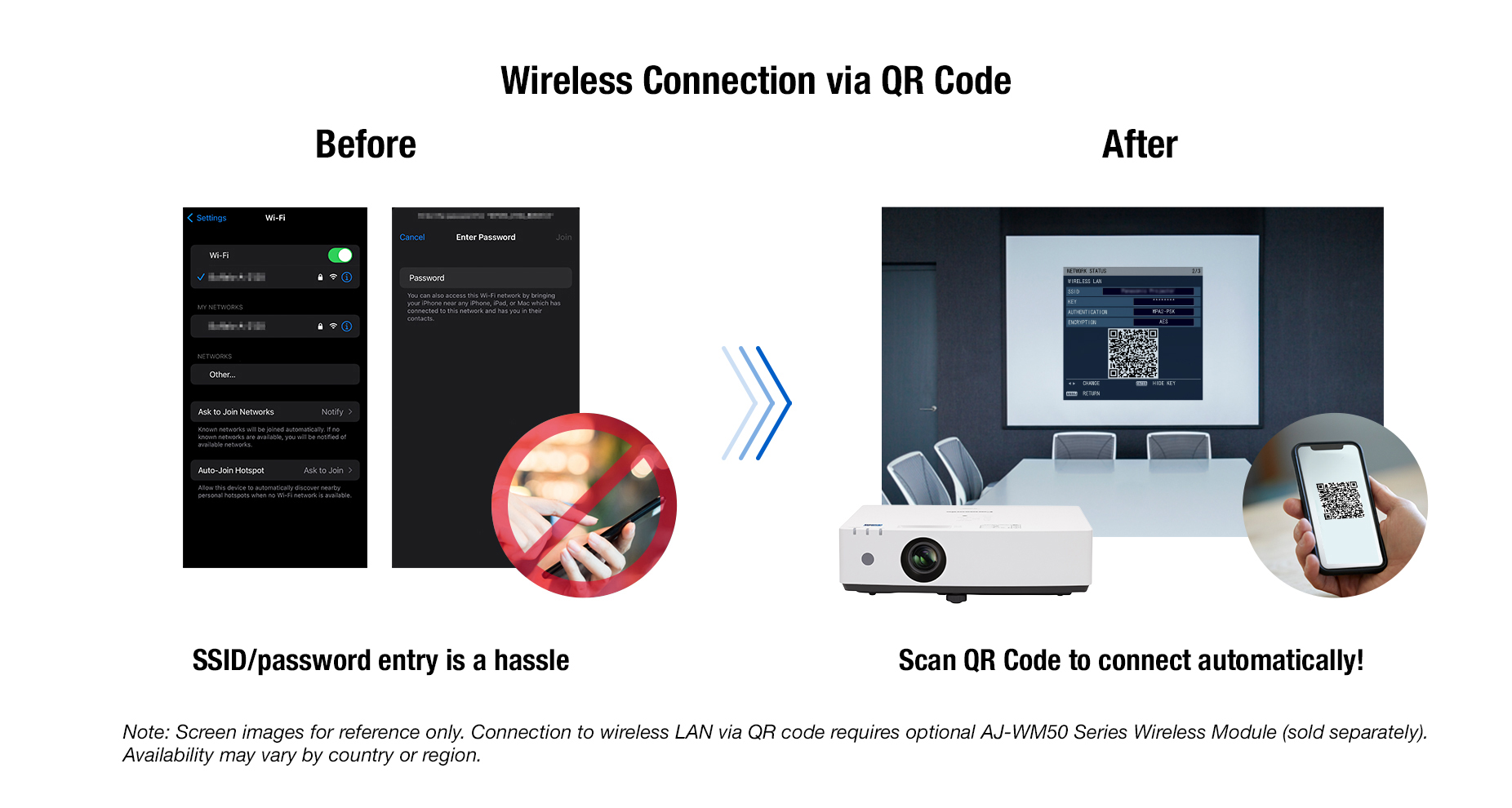
แชร์ภาพแบบไร้สายจากมือถือหรือแล็ปท็อป
- สแกน QR บนจอเพื่อต่อ Wi-Fi โดยไม่ต้องใส่รหัส
- ใช้แอปฟรีของ Panasonic เพื่อแชร์สื่อขึ้นจอ
Project Wirelessly1 from Your Smartphone or Laptop
Share content wirelessly1 from your laptop or smartphone. Just scan the QR code shown in the on-screen display menu using your smartphone’s camera, and your device connects to the projector automatically over wireless LAN, no SSID or passwords required. Then use free Panasonic wireless apps to beam your media to the big screen.
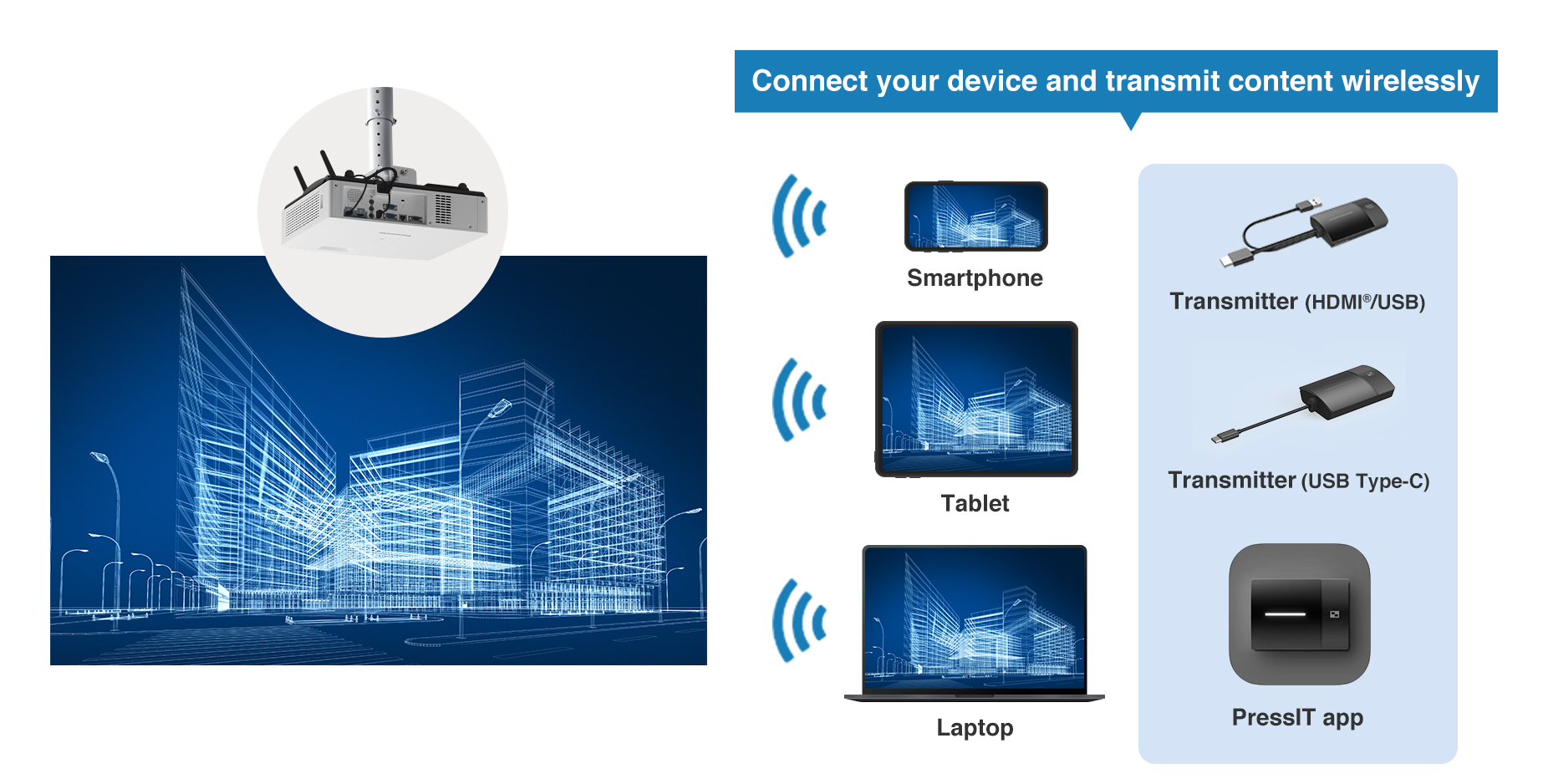
ระบบนำเสนอไร้สาย PressIT
- เชื่อมต่ออุปกรณ์ได้สูงสุด 32 เครื่อง
- เปลี่ยนผู้นำเสนอได้เพียงกดปุ่มเดียว
- เหมาะสำหรับประชุมแบบรักษาระยะห่าง
Discover PressIT1, the Simple Wireless Solution
Meeting participants can share their device screens to the projector at the touch of a button. Wireless Presentation System PressIT can connect up to 32 devices to the projector at once, and allows your group to display content and switch presenters with a single button-press. PressIT comprises a receiver connected to the projector, and transmitters that connect to PCs or mobile devices2. Make the most of your face-to-face meeting time at a safe social distance. Learn more about PressIT here or visit our Wireless Solutions webpage.
ช่อง USB จ่ายไฟ
-
จ่ายไฟ 5V/2A สำหรับ PressIT หรืออุปกรณ์สตรีมมีเดียอื่น ๆ
Power Devices via USB Terminal
The projector includes a USB terminal supporting 5 V/2 A DC power supply for the optional Wireless Presentation PressIT1 receiver or a compatible media streaming device2. Reduce cable clutter and avoid the need for an extra AC outlet or outlet adapter on the ceiling.
ฟังก์ชันสลับสัญญาณอัตโนมัติ
-
ตรวจจับสัญญาณเข้าโดยอัตโนมัติ และสลับไปยังอินพุตนั้นโดยไม่ต้องใช้รีโมท
Auto Input-Switching Function
LMZ460 Series makes everyday operation more convenient. Auto Input-Signal Search function listens for incoming video signals and switches to the correct input automatically without the user having to perform this operation using the projector’s remote control.
ฉายภาพจาก USB โดยไม่ต้องใช้คอมพิวเตอร์
- เสียบแฟลชไดรฟ์ USB แล้วเลือก “MEMORY VIEWER”
- ใช้ปุ่มลูกศรบนรีโมทเพื่อเลื่อนภาพถัดไปหรือก่อนหน้าได้
Plug-and-Play Projection with Memory Viewer
You don’t need a computer to start presenting—just insert a USB memory stick to the projector’s USB port, press the NETWORK/USB button on the remote, select MEMORY VIEWER, and your still images are displayed. You can advance or go back to the previous slide using the arrow keys.
Product Specifications
| PT-LMZ460 | |
|---|---|
| PROJECTOR TYPE | LCD projector |
| LCD Panel | |
| Panel size | 16.3 mm (0.64 in) diagonal (16:10 aspect ratio) |
| Display System | Transparent LCD panel (x 3, R/G/B) |
| Drive Method | Active matrix |
| Pixels | 2,304,000 (1920 x 1200) pixels |
| Light source | Laser diodes |
| Light output*1*2 | 4,600 lm |
| Time until light output declines to 50 %*3 | 20,000 hours (NORMAL/QUIET)/24,000 hours (ECO) |
| Resolution | WUXGA (1920 x 1200 pixels) |
| Contrast ratio*1 | 3,000,000:1 (Full On/Full Off) (When [PICTURE MODE] is set to [DYNAMIC] and [DYNAMIC CONTRAST] is set to [1].) |
| Screen size (diagonal) | 0.76–7.62 m (30–300 in), 16:10 aspect ratio |
| Center-to-corner zone ratio*1 | 85 % |
| Lens | 1.2x manual zoom (throw ratio: 1.36–1.64:1), manual focus lens, F 1.61–1.76, f 19.1–23.0 mm |
| Digital Zoom Extender4 | Throw ratio: 1.36–2.05:15 (Corresponding value. When used together with optical zoom.) |
| Keystone correction range | Vertical: ±25 ° (Auto, Manual), Horizontal: ±35 ° (Manual) |
| Installation | Ceiling/floor, front/rear, free 360-degree installation |
| TERMINALS | |
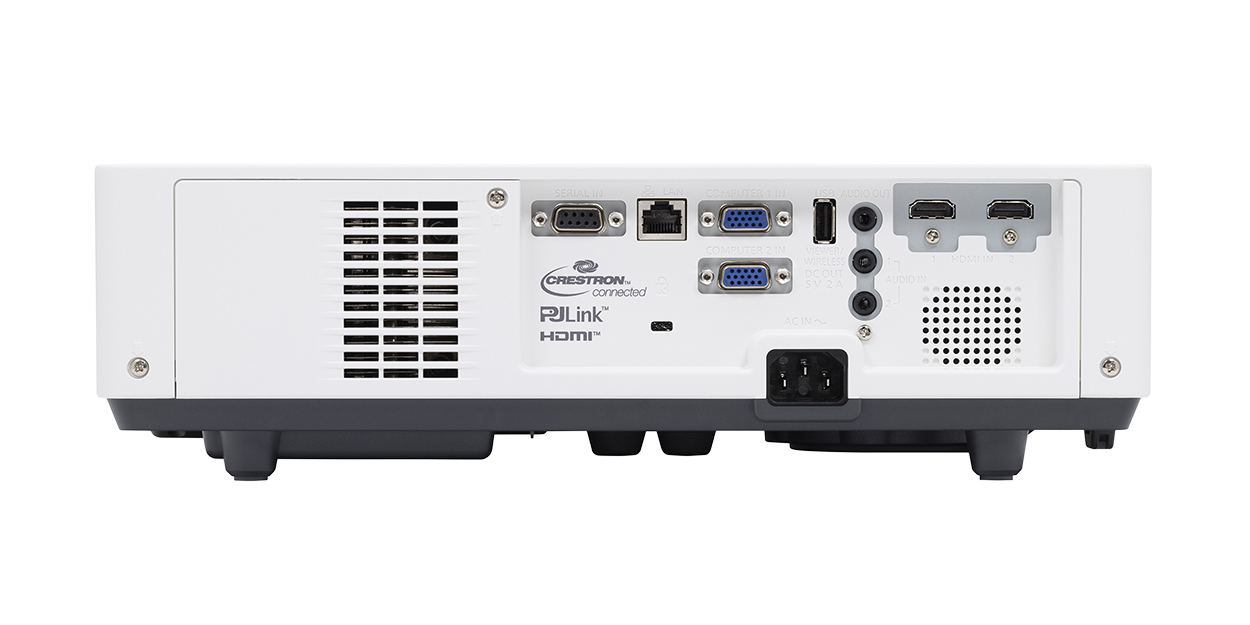
| HDMI 1/2 IN | HDMI 19-pin x 2 (Compatible with HDCP, Deep Color, 4K/30p6 signal input), CEC supported7 |
| Computer 1 In | D-sub 15-pin (female) x 1 (RGB/YPBPR/YCBCR) |
| Computer 2 In | D-sub 15-pin (female) x 1 (RGB/YPBPR/YCBCR) |
| AUDIO 1/2 IN | M3 stereo mini-jack x 2 |
| Variable Audio Out | M3 stereo mini-jack x 1 |
| Serial In | D-sub 9-pin (female) x 1 for computer control (RS-232C compliant) |
| LAN | RJ-45 x 1 for network control, 10Base-T, 100Base-TX |
| USB(VIEWER/WIRELESS/DC OUT) | USB connector (Type A) x 1 for Memory Viewer function, optional AJ-WM50 Series Wireless Module, power supply (DC 5 V, maximum 2 A8) |
| Power Supply | AC 100 V–240 V, 50/60 HZ |
| Max. Power consumption9 | 240 W |
| Built-in speaker | 10 W monaural |
| Cabinet materials | Molded plastic |
| Filter*10 | Included (Estimated maintenance time: approx. 20,000 hours) |
| Operation noise*1 | 35 dB (NORMAL/ECO), 24 dB (QUIET) |
| Dimensions (W x H x D) |
349 mm x 105 mm x 309 mm (13 3/4˝ x 4 1/8˝ x 12 5/32˝) (with feet at shortest position) |
| Weight with supplied lens*11 | Approx. 4.2 kg (9.26 lbs) |
| Operating environment | Operating temperature: 0–45 °C (32–113 °F)12, Operating humidity: 20–80 % (no condensation) |
| Applicable software | Multi Monitoring & Control Software, Logo Transfer Software, Presenter Light Software for Windows®13, Wireless Projector App for iOS/Android™14 |
มาเป็นคนแรกที่วิจารณ์ “Panasonic PT-LMZ460 WUXGA 3LCD Laser Projector (4,600 lumens)”
สินค้าที่เกี่ยวข้อง
โปรเจคเตอร์
รีวิว
ยังไม่มีบทวิจารณ์